Choosing the Right Linux Distribution: A Complete Guide by Audience
Introduction
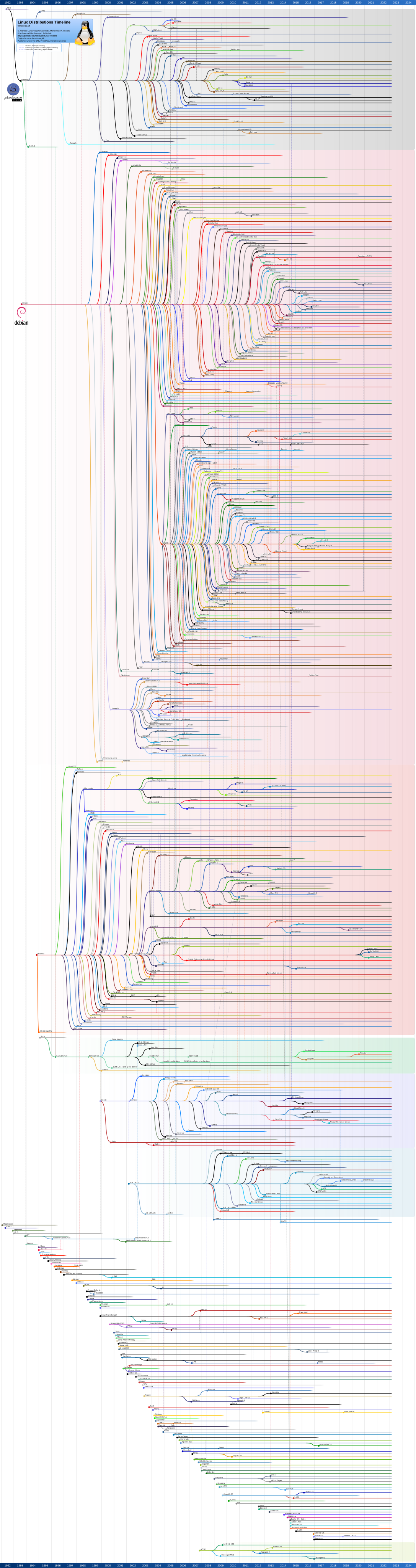
Linux is not one operating system, it is a kernel around which hundreds of distinct distributions (distros) are built. Each distro bundles the kernel with a package manager, a set of default applications, a release philosophy, and a community with its own priorities. That is why the question of which Linux you should use rarely has a single right answer. The correct distro depends on who you are, what you are trying to accomplish, and how much time you are willing to spend on system maintenance.
A few axes matter more than any top 10 list:
| Factor | Why it matters |
|---|---|
| Release model | Fixed release (Ubuntu LTS, Debian, RHEL) trades the absolute newest packages for stability. Rolling release (Arch, Kali, openSUSE) gives you the latest software. |
| Package manager & ecosystem | apt (Debian/Ubuntu), dnf (Fedora/RHEL), pacman (Arch), zypper (openSUSE) each have different package availability, external repositories, and container tooling. |
| Support horizon | Students and hobbyists rarely need 10 year support, enterprises do. |
| Hardware and driver support | Newer kernels handle new laptops and GPUs better, older and stable kernels sometimes lag on initial hardware support. |
| Documentation and community size | A bigger community means faster answers on forums, more external tutorials, and broader software packaging. |
| Default security posture | AppArmor vs SELinux, default firewall state, signed packages, and how quickly CVEs are patched vary a lot between distros. |
This guide walks through five audiences, IT students, cybersecurity professionals, system administrators, developers, and general hobbyists, and recommends distributions for each, with system requirements, comparison tables, and hardening notes.
A note on best distros: Every recommendation below is a strong default, not a universal law. Once you understand package managers, init systems, and how your hardware is supported, switching distros becomes easy. Treat this as a starting point tuned to minimize friction for each audience, not a permanent commitment.
1. IT Students
Goal: Learn core Linux administration, shell scripting, networking, and programming fundamentals without fighting the OS itself.
Recommended distributions: Ubuntu Desktop (LTS), Linux Mint, Fedora Workstation
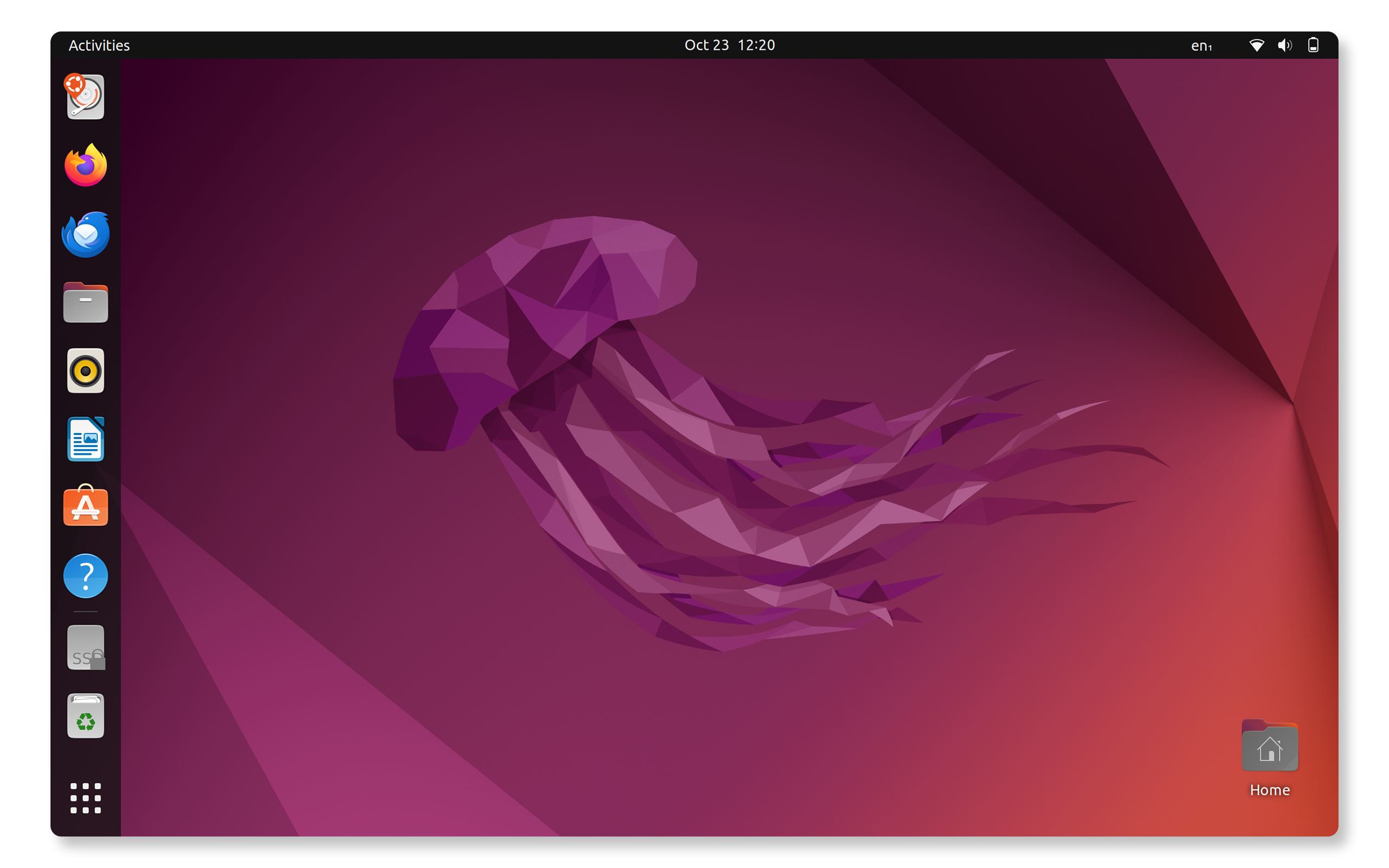
- Ubuntu Desktop (LTS)
- Official Website: ubuntu.com
- Linux Mint
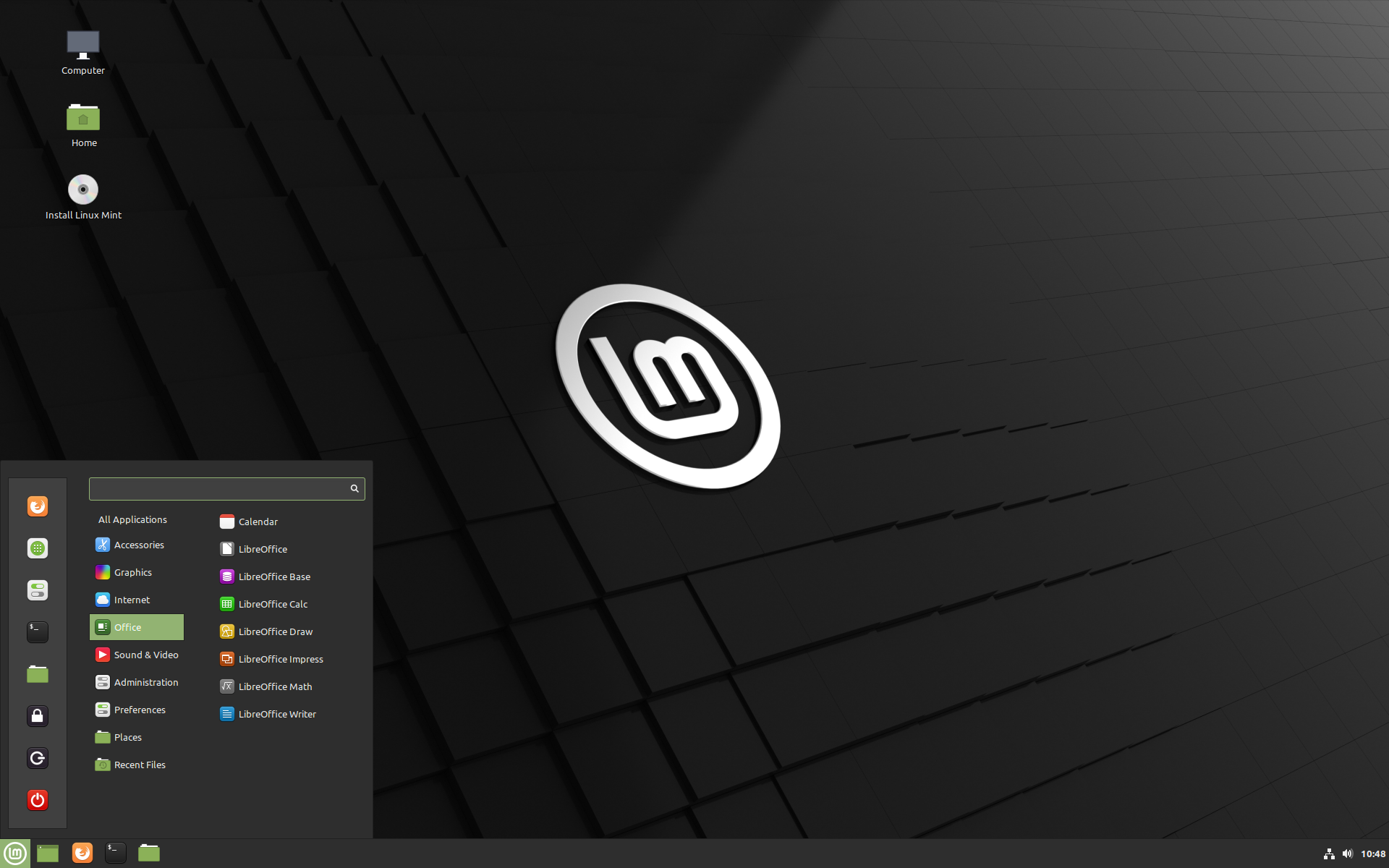
- Official Website: linuxmint.com
- Fedora Workstation
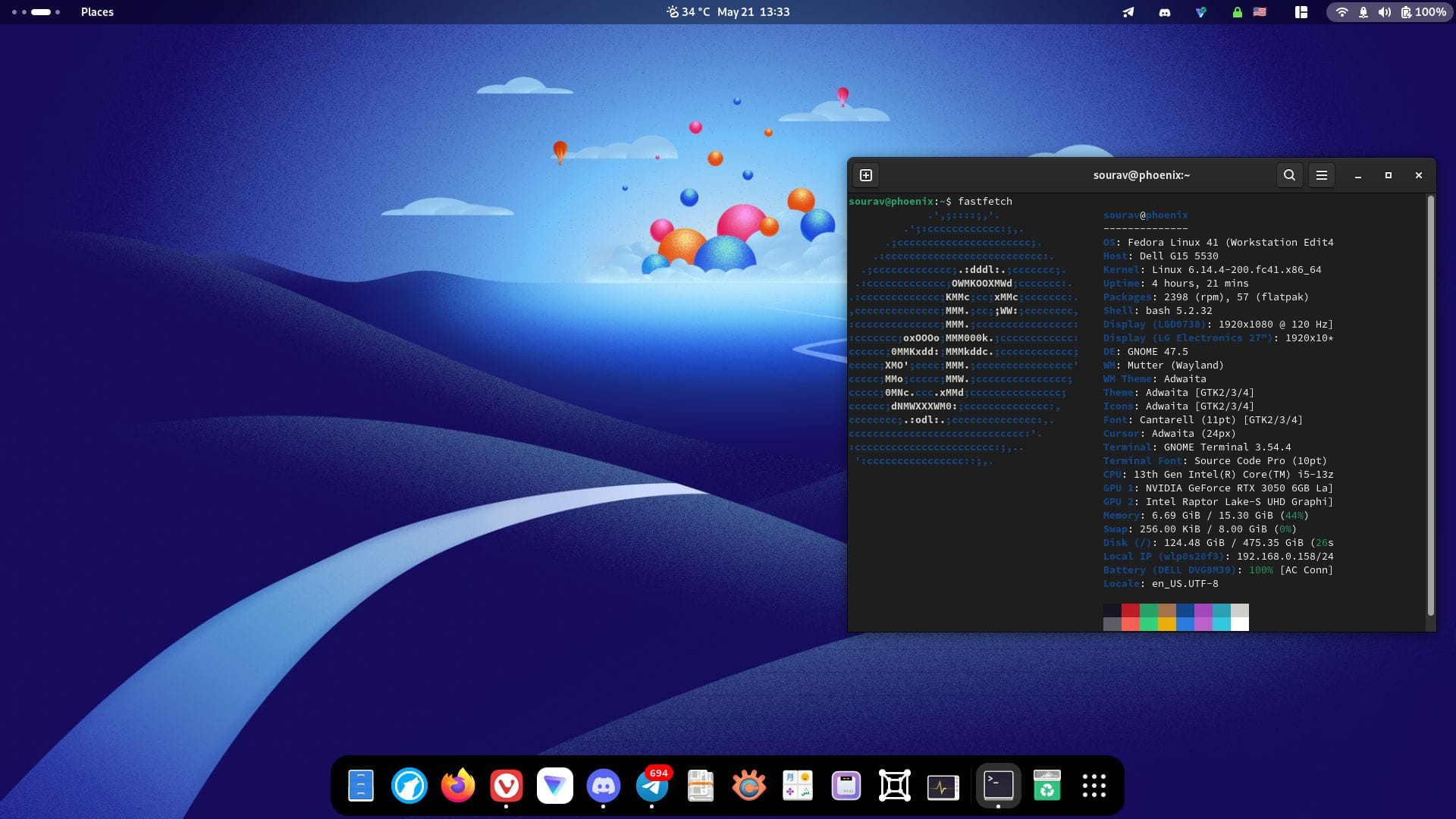
- Official Website: fedoraproject.org
| Distro | Best for | Release model | Support window |
|---|---|---|---|
| Ubuntu 24.04 / 26.04 LTS | Course compatibility, most university labs and courses assume Ubuntu or Debian commands | Fixed LTS | 5 years standard, up to 12 with Pro/ESM |
| Linux Mint 22.x (Cinnamon) | Students coming from Windows who want a gentle and polished desktop | Fixed, based on Ubuntu LTS | Matches underlying Ubuntu LTS |
| Fedora Workstation 4x | CS students who want current language toolchains (GCC, Python, OpenJDK) and to learn dnf and SELinux early | Semi rolling, 2 releases/year | 13 months per release |
Why these three: The dominance of Ubuntu in tutorials and Stack Overflow answers means students hit fewer dead ends. Mint strips away friction for students who just want a working laptop. Fedora is the better pick for students specifically majoring in software engineering, since it ships newer compilers and exposes them early to SELinux and container native tooling (Podman is default) that they will meet again professionally on RHEL.
Minimum / recommended system requirements (1)
| Distro | Minimum | Recommended |
|---|---|---|
| Ubuntu Desktop | 2 core CPU, 4 GB RAM, 25 GB disk | 4 core CPU, 8 GB RAM, 50 GB SSD |
| Linux Mint | 1 GB RAM (Xfce edition), 20 GB disk | 4 GB RAM, 100 GB disk, Cinnamon edition |
| Fedora Workstation | 2 GB RAM, 15 GB disk | 8 GB RAM, 30 GB SSD |
Comparison table (1)
| Criterion | Ubuntu LTS | Linux Mint | Fedora Workstation |
|---|---|---|---|
| Package manager | APT / Snap | APT (no Snap by default) | DNF / Flatpak |
| Default desktop | GNOME | Cinnamon / MATE / Xfce | GNOME |
| Default media codecs | Partial | Full | Minimal (needs RPM Fusion) |
| Security model | AppArmor | AppArmor | SELinux (enforcing by default) |
| Best textbook/tutorial alignment | Highest | High | Medium |
| Learning curve | Low | Lowest | Medium |
2. Cybersecurity Professionals & Ethical Hackers
Goal: Penetration testing, digital forensics, red team/blue team exercises, malware analysis, and security auditing, with tooling maintained and pre configured.
Recommended distributions: Kali Linux, Parrot OS (Security Edition), BlackArch
-
Kali Linux
- Official Website: kali.org

- Official Website: kali.org
-
Parrot OS
- Official Website: parrotsec.org
- Official Website: parrotsec.org
-
BlackArch
- Official Website: blackarch.org
- Official Website: blackarch.org
| Distro | Best for | Base | Release model |
|---|---|---|---|
| Kali Linux (2026.x) | Industry standard pentesting required or assumed by OSCP and many certs | Debian testing | Rolling |
| Parrot OS (Security Edition) | Lower resource laptops, privacy by default (AnonSurf), forensics work | Debian testing | Rolling |
| BlackArch | Advanced users who want the largest raw tool catalog (2,800+ tools) as an Arch overlay | Arch Linux | Rolling |
Why these three: Kali is the standard taught in courses and expected by employers, its tool packages let you install only what you need. Parrot OS trades some of the aggressive defaults of Kali for a lighter footprint and built in anonymity tooling, making it attractive for analysts running on modest hardware or doing live forensic acquisition without touching the host. BlackArch is for practitioners already comfortable with the pacman workflow who want the widest possible tool selection and do not mind assembling their own desktop environment.
Legal and ethical warning: These distributions bundle tools capable of exploitation, packet interception, password cracking, and network scanning. Using them against systems or networks you do not own or have explicit written authorization to test is illegal in most jurisdictions. This guide covers installation and hardening only, it is not authorization to test any system.
Minimum / recommended system requirements (2)
| Distro | Minimum | Recommended |
|---|---|---|
| Kali Linux | 2 GB RAM, 20 GB disk, single core | 8 GB RAM, 80 GB SSD, 4 cores (VM: 4 GB RAM min for GUI) |
| Parrot Security | 2 GB RAM, 20 GB disk | 4 GB RAM, 40 GB SSD |
| BlackArch | 20 GB disk (full repo is large) | 8 GB RAM, 100+ GB disk (tool catalog is huge) |
Comparison table (2)
| Criterion | Kali Linux | Parrot Security | BlackArch |
|---|---|---|---|
| Base distro | Debian | Debian | Arch |
| Default desktop | Xfce (GNOME/KDE available) | MATE (KDE available) | None, you choose a WM |
| Tool count (approx.) | 600 curated | 600+ curated | 2,800 |
| Anonymity tooling built in | Limited (Tor available, not default) | AnonSurf, built in Tor integration | Manual setup |
| Resource footprint | Medium | Light | Depends on WM chosen |
| Certification alignment | OSCP, PNPT, CPTS commonly reference it | Less common in cert curricula | Rare in formal certs |
| Docker/cloud/WSL images | Yes, official | Yes | Community only |
3. System Administrators & IT Professionals
Goal: Long term stability, enterprise support contracts, predictable patch cycles, and strong server and container tooling.
Recommended distributions: RHEL / Rocky Linux / AlmaLinux, Debian, openSUSE Leap
-
Red Hat Enterprise Linux (RHEL)
- Official Website: redhat.com

- Official Website: redhat.com
-
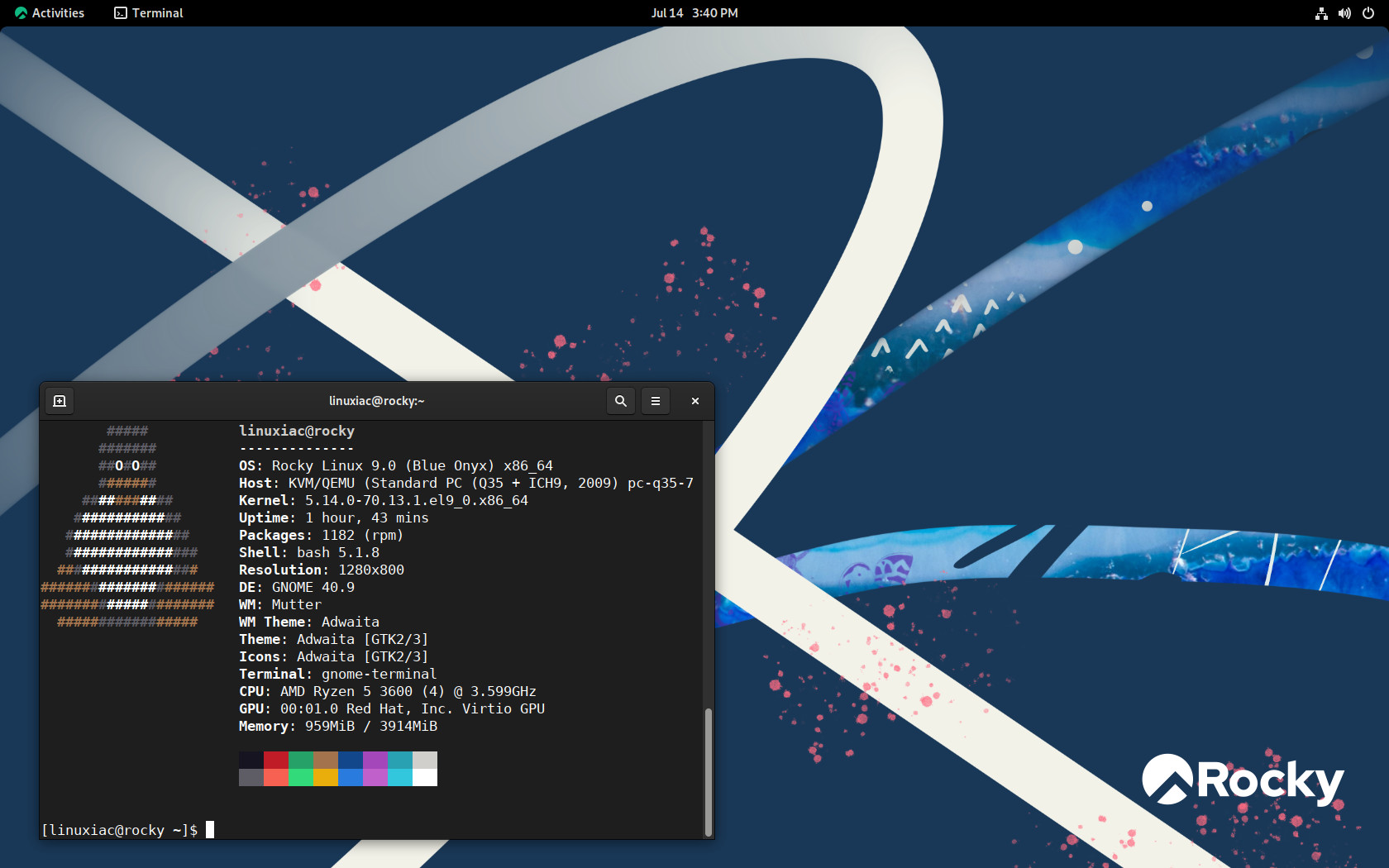
Rocky Linux & AlmaLinux
-
Official Website: rockylinux.org
-
Official Website: almalinux.org

-
-
Debian
- Official Website: debian.org
- Official Website: debian.org
-
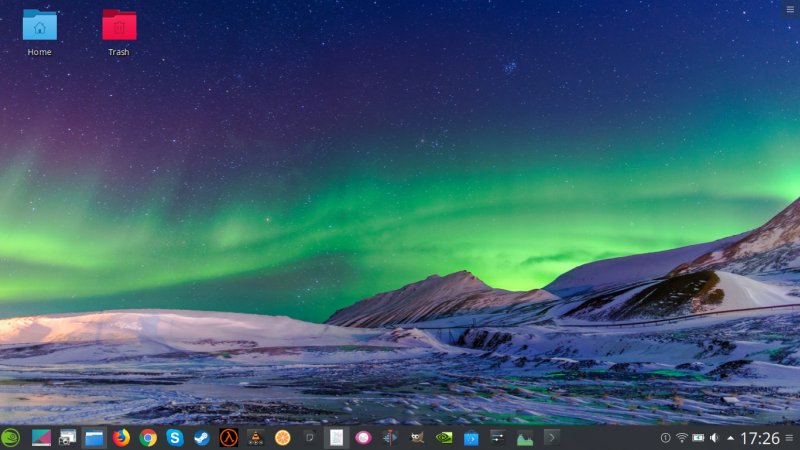
openSUSE Leap
- Official Website: opensuse.org
- Official Website: opensuse.org
| Distro | Best for | Support model |
|---|---|---|
| RHEL 9 / RHEL 10 | Environments needing vendor support, certifications (RHCSA/RHCE), regulated industries | Commercial subscription, 10 years standard support |
| Rocky Linux / AlmaLinux | RHEL compatible workloads without subscription cost | Community, aligned with 10 year RHEL lifecycle |
| Debian 13 Trixie (stable) | Maximum stability, huge package repos, minimal licensing overhead | Community, 5 years with LTS |
| openSUSE Leap | Enterprises that want SUSE Linux Enterprise compatibility with a free, point release model | Community/SUSE aligned, 18 months per version, rolls into SLE cadence |
Why these: The shift of CentOS to CentOS Stream, a rolling preview of RHEL rather than a downstream rebuild, pushed most production environments toward Rocky Linux or AlmaLinux as true 1:1 RHEL rebuilds, or toward paying for RHEL directly (the Red Hat no cost developer subscription covers up to 16 systems, which many small shops use). CentOS Stream itself is still a legitimate choice if you want to track upstream RHEL development, but it is not recommended for conservative production servers anymore, treat it as RHEL beta, not free RHEL. Debian remains the standard for administrators who prioritize absolute stability and community governance, it is the base for a huge share of cloud images and appliances. openSUSE Leap is the right call in shops standardized on SUSE Linux Enterprise Server (SLES), since Leap shares a core with SLES and eases hybrid deployments, it also ships YaST, a genuinely useful unified admin console.
Minimum / recommended system requirements (server installs) (3)
| Distro | Minimum | Recommended (production) |
|---|---|---|
| RHEL 9/10 | 1 vCPU, 1.5 GB RAM, 10 GB disk | 2+ vCPU, 4+ GB RAM, 20+ GB disk (workload dependent) |
| Rocky/AlmaLinux | Same as RHEL (binary compatible) | Same as RHEL |
| Debian 13 (netinst, server) | 1 vCPU, 512 MB RAM, 2 GB disk (minimal) | 2 vCPU, 2+ GB RAM, 20+ GB disk |
| openSUSE Leap | 1 vCPU, 1 GB RAM, 5 GB disk | 2 vCPU, 4 GB RAM, 40 GB disk |
Comparison table (3)
| Criterion | RHEL | Rocky/AlmaLinux | Debian Stable | openSUSE Leap |
|---|---|---|---|---|
| Cost | Subscription (free dev tier available) | Free | Free | Free |
| Package manager | dnf | dnf | apt | zypper |
| Default MAC framework | SELinux | SELinux | AppArmor (opt in) | AppArmor |
| Vendor support (paid) | Yes, Red Hat | No (community only) | No (external LTS available) | Yes, via SUSE for SLES |
| Typical use case | Regulated enterprise, certified stacks | RHEL compatible infra without license fees | Web servers, appliances, Debian based CI | SUSE shops, YaST driven admin |
| Release cadence | Major every 3 yrs, minor every 6 mo | Mirrors RHEL | Major every 2 yrs | Major yearly |
| Container tooling | Podman/Buildah native | Same | Docker/Podman both common | Podman + Kubic tooling |
4. Developers
Goal: Current language runtimes and toolchains, painless container and VM workflows, and a desktop that gets out of the way.
Recommended distributions: Fedora Workstation, Arch Linux, Pop._OS
-
Fedora Workstation
- Official Website: fedoraproject.org

- Official Website: fedoraproject.org
-
Arch Linux
- Official Website: archlinux.org
- Official Website: archlinux.org
-
Pop!_OS
- Official Website: pop.system76.com

- Official Website: pop.system76.com
| Distro | Best for | Package freshness |
|---|---|---|
| Fedora Workstation | Developers who want current tooling with more guardrails than Arch, default choice for many upstream projects | Very fresh, 6 month cadence |
| Arch Linux | Developers who want full control, minimal bloat, and the massive package catalog in the AUR | Rolling, highly updated |
| Pop!_OS (or Pop._OS successor, COSMIC desktop) | Developers on NVIDIA equipped laptops who want Ubuntu compatibility with better default GPU and tiling support | Fixed, Ubuntu LTS based |
Why these: Fedora ships new kernels, compilers, and container tooling (Podman, Toolbx) quickly while still being a curated and proven distro, it is also the upstream for RHEL, so skills transfer directly to enterprise work. Arch is the choice for developers who want to understand every layer of their system and who value the coverage of niche dev tools in the AUR, at the cost of doing more of the systems work themselves. Pop!_OS targets developers and data science users who need reliable NVIDIA driver support and a productive tiling window manager, while staying close enough to Ubuntu that apt based tutorials still apply.
Minimum / recommended system requirements (4)
| Distro | Minimum | Recommended |
|---|---|---|
| Fedora Workstation | 2 GB RAM, 15 GB disk | 16 GB RAM, NVMe SSD, 4+ cores |
| Arch Linux | 512 MB RAM, 2 GB disk (base) | 8+ GB RAM, SSD (desktop environment adds significant overhead) |
| Pop!_OS | 4 GB RAM, 20 GB disk | 16 GB RAM, dedicated GPU, NVMe SSD |
Comparison table (4)
| Criterion | Fedora | Arch Linux | Pop._OS |
|---|---|---|---|
| Package manager | dnf + Flatpak | pacman + AUR (via helpers like yay) | apt + Flatpak/Pop._Shop |
| Install experience | Guided GUI installer | Manual CLI (archinstall simplifies it) | Guided GUI installer |
| Container native tooling | Podman/Toolbx built in | Manual setup, full flexibility | Docker commonly used |
| NVIDIA driver handling | Manual (RPM Fusion) | Manual (AUR or official repo) | Automatic, dedicated NVIDIA ISO |
| Stability vs freshness | Balanced | Freshness first | Stability first (Ubuntu LTS base) |
| Best for | General purpose dev, cloud native | Power users, minimalists | Data science, GPU workstations |
5. General Users & Hobbyists
Goal: A reliable desktop that simply works, strong community support, and low maintenance overhead.
Recommended distributions: Linux Mint, elementary OS, Zorin OS
-
Linux Mint
- Official Website: linuxmint.com
- Official Website: linuxmint.com
-
elementary OS
- Official Website: elementary.io
- Official Website: elementary.io
-
Zorin OS
- Official Website: zorin.com

- Official Website: zorin.com
| Distro | Best for | Feel |
|---|---|---|
| Linux Mint (Cinnamon) | Windows switchers, older hardware, users who want a traditional desktop metaphor | Familiar taskbar and start menu layout |
| elementary OS | Users who want a polished design and a curated app store (AppCenter) | Minimalist, opinionated |
| Zorin OS | Windows or macOS switchers, layout can be switched to resemble either | Highly configurable welcome experience |
Why these: All three are Ubuntu based (inheriting its hardware support and package availability) but layer on friendlier defaults. Mint is the most proven option for low end and older hardware and has the largest community of the three. elementary OS is the most visually cohesive and is a good fit for design conscious users willing to pay a little to support independent Linux developers. Zorin OS explicitly targets people migrating from Windows or macOS and includes layout presets that mimic both, easing the transition.
Minimum / recommended system requirements (5)
| Distro | Minimum | Recommended |
|---|---|---|
| Linux Mint (Cinnamon) | 2 GB RAM, 20 GB disk | 4 GB RAM, 100 GB SSD |
| elementary OS | 4 GB RAM, 32 GB disk | 8 GB RAM, SSD |
| Zorin OS (Core) | 2 GB RAM, 20 GB disk (Lite edition needs less) | 4 GB RAM, 40 GB SSD |
Comparison table (5)
| Criterion | Linux Mint | elementary OS | Zorin OS |
|---|---|---|---|
| Base | Ubuntu LTS | Ubuntu LTS | Ubuntu LTS |
| Default desktop | Cinnamon (also MATE/Xfce editions) | Pantheon (custom) | GNOME (customized) |
| App store | Software Manager (APT based) | AppCenter (curated, pay what you want) | Software Store + Zorin specific tools |
| Windows like default layout | Yes | No | Yes (plus macOS like option) |
| Low spec hardware edition | Yes (Xfce/MATE) | No | Yes (Zorin OS Lite) |
| Cost | Free | Free (optional app payments) | Core free, Pro edition paid adds extra layouts/apps |
6. Gamers & Gaming Enthusiasts
Goal: Seamless gaming experience out of the box with pre installed GPU drivers, Steam, Proton compatibility layer, and performance tweaks.
Recommended distributions: Nobara Linux, Bazzite, Pop!_OS
-
Nobara Linux
- Official Website: nobaraproject.org
- Official Website: nobaraproject.org
-
Bazzite
- Official Website: bazzite.gg
- Official Website: bazzite.gg
-
Pop!_OS
- Official Website: pop.system76.com
- Official Website: pop.system76.com
| Distro | Best for | Release model | Target Device |
|---|---|---|---|
| Nobara Linux | PC gamers who want custom kernel patches, pre installed drivers, and wine dependencies ready to go | Rolling, Fedora base | Desktop / Laptop PCs |
| Bazzite | Gamers looking for a SteamOS like experience on handheld devices or living room PCs | Immutable, Fedora Atomic base | Handhelds (Steam Deck, ROG Ally) & PCs |
| Pop!_OS | Desktop gamers wanting high stability, Ubuntu compatibility, and dedicated ISOs with NVIDIA drivers | Fixed, Ubuntu LTS base | Desktop / Laptop PCs |
Why these three: Nobara, created by the maintainer of GloriousEggroll Proton, fixes common Linux gaming pain points by shipping custom kernel fixes and media codecs out of the box. Bazzite brings an immutable SteamOS experience to non Valve hardware with full support for handheld controllers and gamepads. Pop._OS remains one of the easiest options for users with NVIDIA GPUs who want a general use system that handles modern gaming smoothly.
Minimum / recommended system requirements (6)
| Distro | Minimum | Recommended |
|---|---|---|
| Nobara Linux | 4 GB RAM, 30 GB disk, dual core | 16 GB RAM, 100 GB NVMe SSD, dedicated GPU |
| Bazzite | 8 GB RAM, 30 GB disk | 16 GB RAM, 100 GB NVMe SSD, modern GPU |
| Pop!_OS | 4 GB RAM, 20 GB disk | 16 GB RAM, 100 GB SSD, dedicated GPU |
Comparison table (6)
| Criterion | Nobara Linux | Bazzite | Pop!_OS |
|---|---|---|---|
| Base | Fedora | Fedora Atomic | Ubuntu LTS |
| System Architecture | Standard mutable | Immutable / Atomic | Standard mutable |
| Driver installation | Automatic wizard | Pre integrated | Dedicated ISO selection |
| Steam & Proton setup | Pre installed and configured | Built in Steam Game Mode | One click install via app store |
| Handheld compatibility | Moderate | High (tailored for handhelds) | Basic |
7. Live USB & Portable Systems
Goal: Run a fast, lightweight, and fully functional Linux system directly from a USB flash drive without modifying the internal drive of the host machine.
Recommended distributions: Puppy Linux, Slax, Porteus
-
Puppy Linux
- Official Website: puppylinux-woof-ce.github.io
- Official Website: puppylinux-woof-ce.github.io
-
Slax
- Official Website: slax.org
- Official Website: slax.org
-
Porteus
- Official Website: porteus.org

- Official Website: porteus.org
| Distro | Best for | Base | Boot Speed |
|---|---|---|---|
| Puppy Linux | Reviving very old hardware, running entirely inside System RAM for ultra fast execution | Ubuntu or Slackware | Extremely fast |
| Slax | Modular portable OS that fits on small flash drives with options for Debian or Arch foundations | Debian / Arch | Fast |
| Porteus | Portable productivity with a modular system structure that boots in seconds | Slackware | Sub 15 seconds |
Why these three: These distributions load the operating system completely into system memory (RAM), allowing you to unplug the USB drive after boot or run tasks at memory speed. Puppy Linux is famous for operating smoothly on low resource PCs. Slax provides modularity where applications are loaded as single files. Porteus specializes in rapid startup speeds and custom ISO generation.
Minimum / recommended system requirements (7)
| Distro | Minimum | Recommended |
|---|---|---|
| Puppy Linux | 512 MB RAM, 1 GB USB drive | 2 GB RAM, 4 GB USB 3.0 drive |
| Slax | 128 MB RAM (CLI), 512 MB (GUI) | 2 GB RAM, 4 GB USB 3.0 drive |
| Porteus | 512 MB RAM, 1 GB USB drive | 2 GB RAM, 4 GB USB 3.0 drive |
Comparison table (7)
| Criterion | Puppy Linux | Slax | Porteus |
|---|---|---|---|
| Memory usage strategy | Loads system entirely to RAM | Modular loading to RAM | Loads modules on demand to RAM |
| Package management | Pet packages / APT compatibility | Modular bundles / APT | Porteus modules (.xzm) |
| Persistence support | Built in save file wizard | Built in persistence layer | Built in save file management |
| ISO size | Under 400 MB | Under 300 MB | Under 500 MB |
8. Privacy & Anonymity Enthusiasts
Goal: Protect digital identities, evade online tracking, route network traffic through encrypted networks, and prevent local disk forensics.
Recommended distributions: Tails, Whonix, Qubes OS
-
Tails
- Official Website: tails.net
- Official Website: tails.net
-
Whonix
- Official Website: whonix.org

- Official Website: whonix.org
-
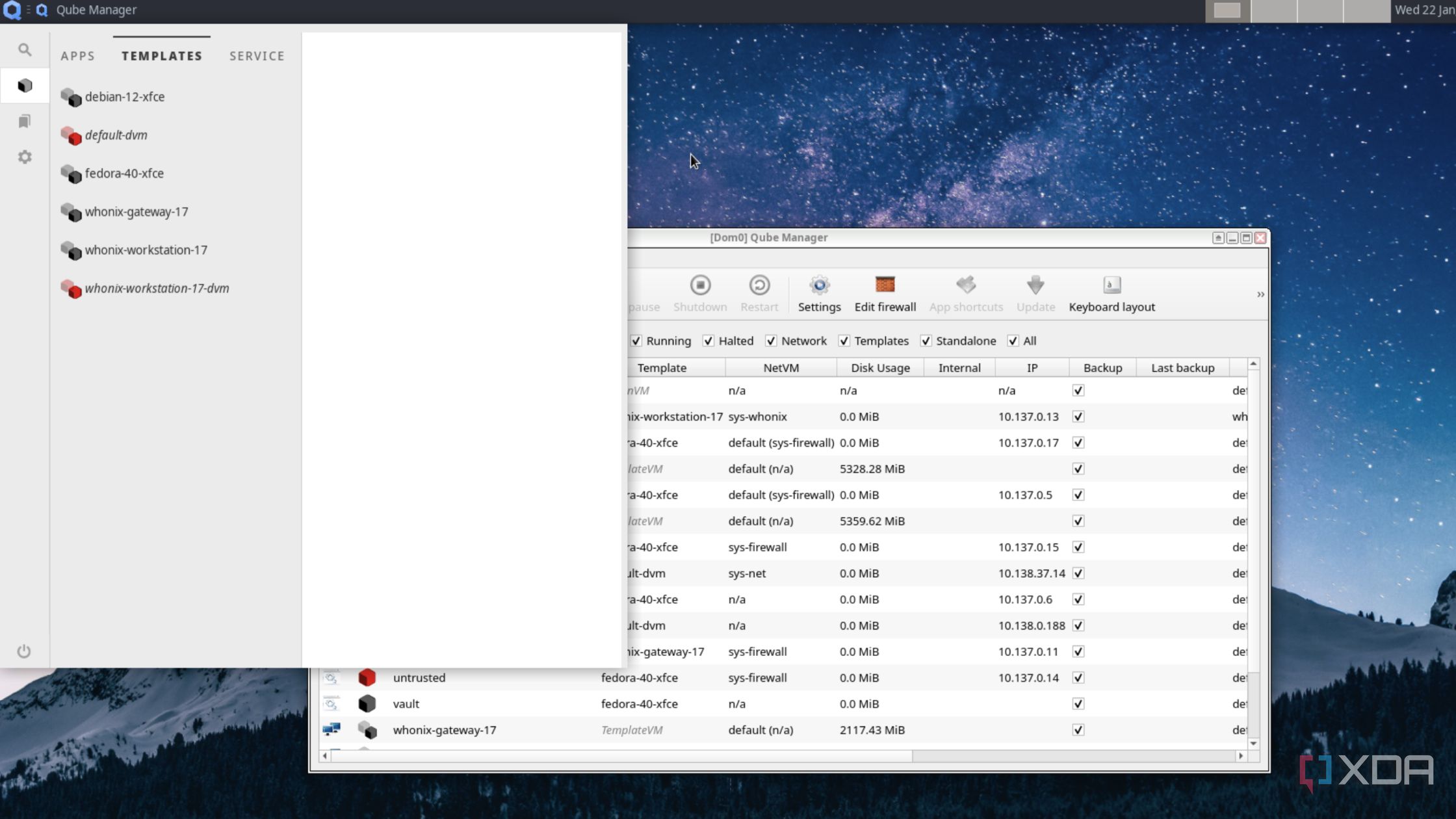
Qubes OS
- Official Website: qubes-os.org
- Official Website: qubes-os.org
| Distro | Best for | Operating Concept | Persistence |
|---|---|---|---|
| Tails | Activists, journalists, and users needing anonymous browsing from a disposable live USB session | Amnesic Live OS, all traffic via Tor | Optional encrypted volume |
| Whonix | Advanced users needing isolated anonymity inside virtualized environments | Dual VM architecture (Gateway/Workstation) | Persistent virtual disks |
| Qubes OS | High security targets needing total isolation between apps and network tasks using microvisors | Compartmentalization via Xen VMs | Full disk persistence |
Why these three: Tails leaves no trace on the host computer hardware by defaulting to an amnesic state where all temporary data vanishes on shutdown while routing all internet traffic through the Tor network. Whonix splits the operating system into two virtual machines, ensuring IP address leaks are prevented even if the application environment is compromised. Qubes OS enforces security by isolation, running every application inside isolated qubes (virtual machines) so malware in one app cannot compromise the rest of the system.
Minimum / recommended system requirements (8)
| Distro | Minimum | Recommended |
|---|---|---|
| Tails | 2 GB RAM, 8 GB USB drive | 4 GB RAM, 16 GB USB 3.0 drive |
| Whonix | 4 GB RAM (Host), VirtualBox / KVM | 16 GB RAM, Quad core CPU, SSD host |
| Qubes OS | 16 GB RAM, 128 GB SSD, VT-x/VT-d | 32 GB RAM, Fast NVMe SSD, Intel/AMD with IOMMU |
Comparison table (8)
| Criterion | Tails | Whonix | Qubes OS |
|---|---|---|---|
| Primary use mode | Bootable Live USB drive | Virtual Machines inside host OS | Bare metal main OS installation |
| Default Network Route | Tor Network | Tor Network via isolated Gateway | Customizable per isolation qube |
| Local Data Footprint | Zero by default (Amnesic) | Saved inside host VM images | Saved in compartmentalized qubes |
| Anti Leak Protection | High | Extreme (Isolated gateway) | Extreme (Hardware virtualization) |
| System overhead | Low | Moderate | Very High |
Conclusion: Evaluating and Migrating as You Grow
A few durable principles cut across every audience above:
- Match the release model to your risk tolerance. Fixed release distros (Ubuntu LTS, Debian, RHEL) minimize surprise breakage, rolling distros (Arch, Kali) maximize freshness. Production servers and students on a deadline generally want the former, security researchers and power users often prefer the latter.
- Do not run specialized security distros as your everyday OS. Kali, Parrot, and BlackArch are built for engagements, not for banking, email, and browsing, isolate them in VMs or on dedicated hardware.
- Never disable mandatory access control frameworks (SELinux/AppArmor) to make a problem go away. Learn to write policy exceptions instead, disabling them removes a major defense in depth layer.
- Snapshot before you leap. Whether it is Timeshift on Mint, Btrfs snapshots on Fedora, or an LVM snapshot before a
dnf updateon a server, a cheap rollback point turns a risky upgrade into a safe one. - Your skills transfer more than your distro choice does. Shell scripting, systemd, networking fundamentals, and package manager literacy (apt/dnf/pacman/zypper) carry across distros. Moving from Ubuntu to Fedora to Arch as your needs evolve is a normal and low risk part of a Linux career, not a sign you chose wrong the first time.
When to migrate:
- Student to junior sysadmin or developer: if your job or lab standardizes on RHEL family systems, move practice environments to Rocky, AlmaLinux, or CentOS Stream well before you need the skills professionally.
- Hobbyist to developer: once you are compiling from source regularly or need latest language runtimes, the conservative Ubuntu base of Mint or Zorin may start to feel dated, Fedora is a natural next step.
- Generalist to security specialist: do not reinstall your daily driver as Kali. Add it as a VM alongside your existing OS, and only fully switch if you are doing security work full time and understand the operational trade offs above.
Whichever distribution you start with, the underlying Linux, POSIX, and networking knowledge is the real asset, the distro is just the packaging.
Sources and further reading: DistroWatch, Ubuntu Documentation, Fedora Docs, Debian Handbook, Red Hat Documentation, Kali Linux Docs, Arch Wiki, Linux Mint Documentation.
Disclaimer: Version numbers, release dates, and system requirements above reflect the most current information available at time of writing and are subject to change, always check each official site before installing in a production environment.
Comments
Loading comments…